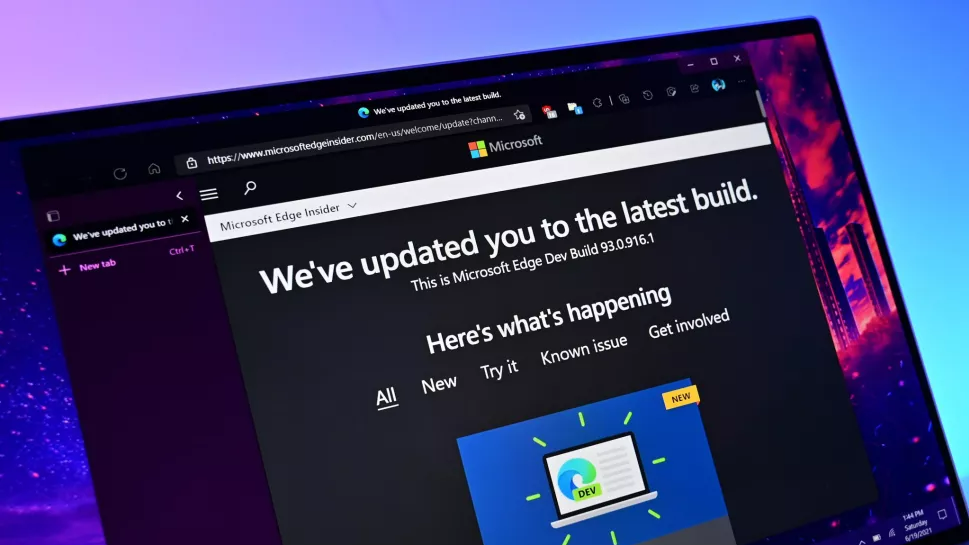
When will they ever learn?
Linux Mint is so awesome.
Who’s computer is it?
What a coincidence, I want to edge every time I open my computer.
Could someone PLEASE build an idiot proof way to permanently remove Edge from your system!?
If they were actively trying to push people towards Linux, would their choices look any different? Perplexing.
IMO they’d be wise to take every step they can to make the OS feel like it belongs to the user, but more and more the attitude seems to be “it’s our OS, so we do what we want” which is their right, but it’s shit marketting that makes them feel more like Apple every day.
If my school didn’t absolutely require windows I would be fully Linux at this point.
https://github.com/winapps-org/winapps/
Winapps might be of help to you.
I do have a few other pet peewees too for Linux, despite having that on my ThinkPad.
- GDB is pretty uncomfortable to use.
- The only usable GDB GUI is a glorified webpage by none other, than Micro$lop.
- Some low-level API (sound, input, etc.) are absolutely dogshit compared to their Windows counterparts (still haven’t found anything on how to specify to ALSA if I want to open a device other that
default, and how exactly, just found a massive issue with Evdev, etc.). - Want something better than those? jUsT USe sDl, except SDL is kind of dogshit under Windows (DirectInput/XInput + DirectAudio instead of newer APIs), could not get its audio system working at all as people were instead suggesting me to use MP3 player DLLs instead of writing my own audio solutions, etc.
Honestly (and probably naïvely), what exactly is it that Windows can do that you couldn’t do on another OS? Why would a school need to force such a retarded requirement?
This is a fairly naive take. It’s this way because the infrastructure is built this way. If it was easy for an org to entirely switch to Linux, they would.
As someone who has been dealing with exactly this issue with my new employer’s enterprise ICT department, I have some insight to share.
When you have thousands and thousands of laptops that you need to manage, it becomes a burden for the in-house IT department, so they often farm it out to a Managed Service Provider (MSP). This is particularly common for organisations like schools and hospitals that often don’t even have an in-house IT department. The MSP will install policies and management software on the laptops to ensure the OS is up to date, the antivirus is not disabled, the VPN is configured correctly, passwords are changed regularly, etc.
Yes of course there are linux-native solutions for each of these things, but the MSP doesn’t support it, doesn’t offer that service. To keep their service prices affordable for enterprise organisations, MSPs usually hire the lowest cost technicians and support staff. These poor underpaid staff probably have never even heard of Linux. The MSP can increase their marketable value by advertising the certifications they’ve attained. The certifications are provided by Microsoft and are related to Microsoft software and systems.
If you have a small fleet of devices and an in-house IT team that has a bunch of Linux enthusiasts, and a user base who drives demand, then it is possible to support Linux. But it requires a lot of effort and dedication. My old employer did that. They had a fleet of around 5,500 devices (a mix of desktops and laptops), mostly Windows, approx 500 of them were macbooks, and about 50 were Linux. Some of these were users who needed to use software that is available only on Linux, some were like me who are simply more productive and efficient using a linux-based OS. But maintaining, administering and supporting those 50 Linux devices took around 20% of the time of the IT department. That’s massively disproportionate to the number of Linux users.
Not long after I left there, the new CTO put an end to that, they saw and easy cost saving by simply refusing to allow users to have any OS other than Windows.
Ease of management and surveillance (most such tools marketed at schools are Windows only), first class integration into active directory for user and computer account management, hardware agnostic (rules out macos), and it’s already integrated into the IT team’s systems and processes so switching would be a major effort.
That makes sense, thank you! I wasn’t really thinking about managing “internal” computers, only in terms of “you must use this specific software on your (personal) computer”, which clearly ignores huge parts of the issue.
Run kernel level anticheat like EA Javelin.
Laughs in Linux
Change this anytime in Settings.
Will do
I have an idea. Linux should start automatically everytime you boot you PC.
IDK that seems pretty invasive
Perhaps just GRUB and waiting for my input one extra time to confirm I actually want to use my PC at that time
I just have one kernel and one Distro with secure boot. So I directly use UEFI.
Its sometimes fun to watch this drama from the otherside. Windows is ‘that other OS’ for me now. I was switching between Linux and Windows a while ago, and made a permanant switch around 2021-ish (I think). I only use Windows at work as I don’t have a choice, and in certain instances where I’m forced to use a Windows device e.g. for online exams, etc…
That’s me too. Every time someone tells me that windows pulled off another shit move, all I can do is laugh at how they choose to deal with that and keep getting fucked.
Glad that they specified WindyPlop11. Linux wins in every branch of every one its splendid variations
Mint guy here, since 6 months ago, best choice I have done. If you make some research, in few time you realiese you do not need Microsoft to live in the majority of the cases.
I thought we settled this years ago
@echo off timeout /t 60 /nobreak >nul tasklist /fi "imagename eq msedge.exe" | find /i "msedge.exe" >nul if not errorlevel 1 ( taskkill /f /im msedge.exe >nul 2>&1 ) exitMy first thought was Power Automate, the same thing is probably pretty easily doable with it.
I honestly might switch to Linux. I know people say that a lot, but gaming has been the only thing keeping me on Windows.
But I’ve also come to realize I just don’t have that much free time to game any more. Most of my computer use is putting YouTube on in the background or web browsing. I still occasionally game, but Linux support keeps improving and even if I only pick Linux supported games… I still won’t have enough time to play them all.
Gaming works great on Linux now and often better. The only scenarios I can think of where things are majorly behind are competitive games with anti cheat that doesn’t work on Linux and anything requiring peripherals with custom software, for example SIM racing. This means that the vast majority of games work great!
Sim racing works great for me. Anything from Moza, Logitech, and even my PXN wheel “just worked” out of the box on cachyOS. Bazzite is now getting wheel support. I did have to add USB descriptors for udev rules on my simmsonn pedals, and also learn to always disable steam input and use glorious eggroll proton. JacKeTus did a fantastic job with the ffb driver and I see him on matrix ALL THE TIME helping newbies and getting stuff working.
I’ve been gaming on Linux for over ten years now: It has gotten to the point where the only major hurdle is kernel-level anti-cheat. Which does work in Linux, but the developer has to enable it to work in Linux, and most don’t. This is only a factor in competitive multiplayer games. I’m not into those so basically I haven’t noticed, I want to run a game, it runs.
I game often, and 100% on Linux. Unless you’re doing competitive multiplayer games with kernel level anti-cheat (read: rootkit malware), games run perfectly fine.
Good news!
Apparently DeNovo’s been hacked!
P.S. I’m shit at games… so I don’t know if this actually really matters 😝
The Denuvo workaround only runs on Windows and creates the mother of all security holes.
Yeah… I finished up the Tom’s article. Nope, I lied… I just gave up on reading it 😌
It just seems like something that could be encapsulated, no? I guess since they call it a hypervisor bypass it sits below the virtualization layer… which is essentially Greek to me. About 1 million years ago, I tried to get solid Works to run in a Windows VM on Lennox and it wouldn’t work. Best I could tell they were using device names that the virtual machine substituted for real hardware… I tried to recompile it and change the names, but I gave up because I didn’t care that much. Since I was using Solidworks pretty much all the time a dedicated machine wasn’t a big deal… as hard as most gamers game, that seems like the route I would go if it were me.
A deadhead gaming box more-or-less isolated… obviously it’s not exactly gaming on Linux, but if you’re playing a game on a windows computer from your Linux desktop… I’d argue that it’s the next best thing.
There are two exceptions to this still, STALKER Gamma doesn’t work on Linux still and SKSEx64 doesn’t work either. Also modding Baldurs gate 3 through Nexus is fucky.
Flash a distro onto a usb and boot from that to test drive it and ensure your hardware is compatible - zero risk.
I recommend installing Ventoy on a USB stick, then putting some ISOs on there of various distros to try. Like CachyOS, Bazzite, or perhaps Kubuntu.
You can boot into them straight from the Ventoy USB stick without having to format the USB between new tests.
And if you end up liking one over the others you can install straight from the stick.
You can do it, I believe in you random internet stranger!
I switched to Linux a year or two ago. Pretty much every game I’ve played has worked fine. (Elden ring, guild wars 2, nioh2, pillars of eternity…)
Even non-steam stuff was basically click and go with Heroic launcher
I’ll be that guy, use bazzite. Unless your doing advanced shit or VR it’s basically everything you need in a simple package. Shit I didn’t even have to install drivers for my… well everything.
Only annoying thing I’m finding is my Firefox audio goes wonky sometimes while using the built in audio booster (FF extensions that boost audio were even worse) but rebooting Firefox fixes it.
As long as you don’t jump on AAA title games on launch day, you’ll be fine gaming on Linux.
That, or if you are a fortnite, LoL addict… Those don’t work for reasons totally up to the devs.
You can test most Linux distros using a “live” image on a thumb drive. If you put Ventoy on a drive, you can try as many ISOs as you can fit on the drive.
Bazzite or Fedora are both really good places to start.
FYI, Bazzite may have issues with Ventoy. It is recommended to use the Fedora Media Writer. I learned this a couple months ago.
Come on in, the water is great!
I don’t consider myself to be an advanced PC user, but even I was able to get Arch Linux to run with some googling and tinkering as my first dive into Linux. I really think you should make the switch if you don’t have any work restrictions. I dualboot still, just in case, but I can’t remember the last time I needed to use Windows.
Like you and the others say, if you have limited time gaming or don’t play AAA on launch day, that’s just one more reason not to use Windows! Good luck!
Doesn’t “consider [themselves] to be an advanced PC user…”
Picks Arch as their first Linux distro.
Found Linus Sebastian.
I only did it to try to impress people online lol.
Everything is like a Hodge Podge of fixes just to make it work, so if anyone asks me about the inner workings of everything, I wouldn’t be able to answer like 75% of it. I’m still learning.
Nah, he would have removed his DE.
Lol that loser can’t even install popos right
Your scenario sounds like mine. Don’t game much anymore and definitely don’t play triple A crap that requires kernel.level anti cheat. Been on bazzite for about 6 mos and everything has been great. So much better than Windows.
Zorin OS is a good one if you want a nice UI transition from Windows or Mac.
I just gonna go live in the woods and take up bird watching or something.
Pop_OS has been a piece of cake to use. Switched last year, never looking back.