

4·
3 days agoHave you tried onlyoffice? https://www.onlyoffice.com/ There is an offline and selfhosted version, and I found it has better compatibility with ms office than libreoffice.
Have you tried onlyoffice? https://www.onlyoffice.com/ There is an offline and selfhosted version, and I found it has better compatibility with ms office than libreoffice.

We have to remember that this will change in the future. New phones have more and more powerful NPUs which are very good at speech recognition. We are not far away from the time when a phone will be able to do good enough STT and send the transcript only.
Watch the video, it’s for you if you think that way

Some context about OpenStreetMap:
It’s an Open Data project, it means you can just go to a mirror and download the full db legally, and do whatever you want with that.* The license of OSM (called ODbL) even allows selling the data. They can legally train on it if they need this.
Yet the crawlers hammering the servers used by the volunteers… It’s so stupid.
If you are interested this page lists like 20 different ways you can download data, depending on your use case, and what part of the database you actually need: https://wiki.openstreetmap.org/wiki/Downloading_data
* There is only one requirement, you have to display ©OpenStreetMap somewhere if you publish some derivative work. More info here: https://opendatacommons.org/licenses/odbl/

Osmand uses a different search engine. It also searches only in the downloaded data, unless you select “Online search”.
More info in the docs: https://osmand.net/docs/user/search/
OSM is a database, it can’t search. Osm.org just displays an independent search engine called Nominatim, but it could be anything else
You have to add layers here to make them show up in iD: https://github.com/osmlab/editor-layer-index
For JOSM you have to add it to this page: https://josm.openstreetmap.de/wiki/Maps
OSM is a community project, someone have to the the PR, It won’t show up automagically without human intervention.
Are you sure its license is compatible? E.g. The website says I can’t view it because I’m not in the Netherlands. There are a lot of frequent editors from there, it’s strange they haven’t added it yet.
Related lemmy communities:
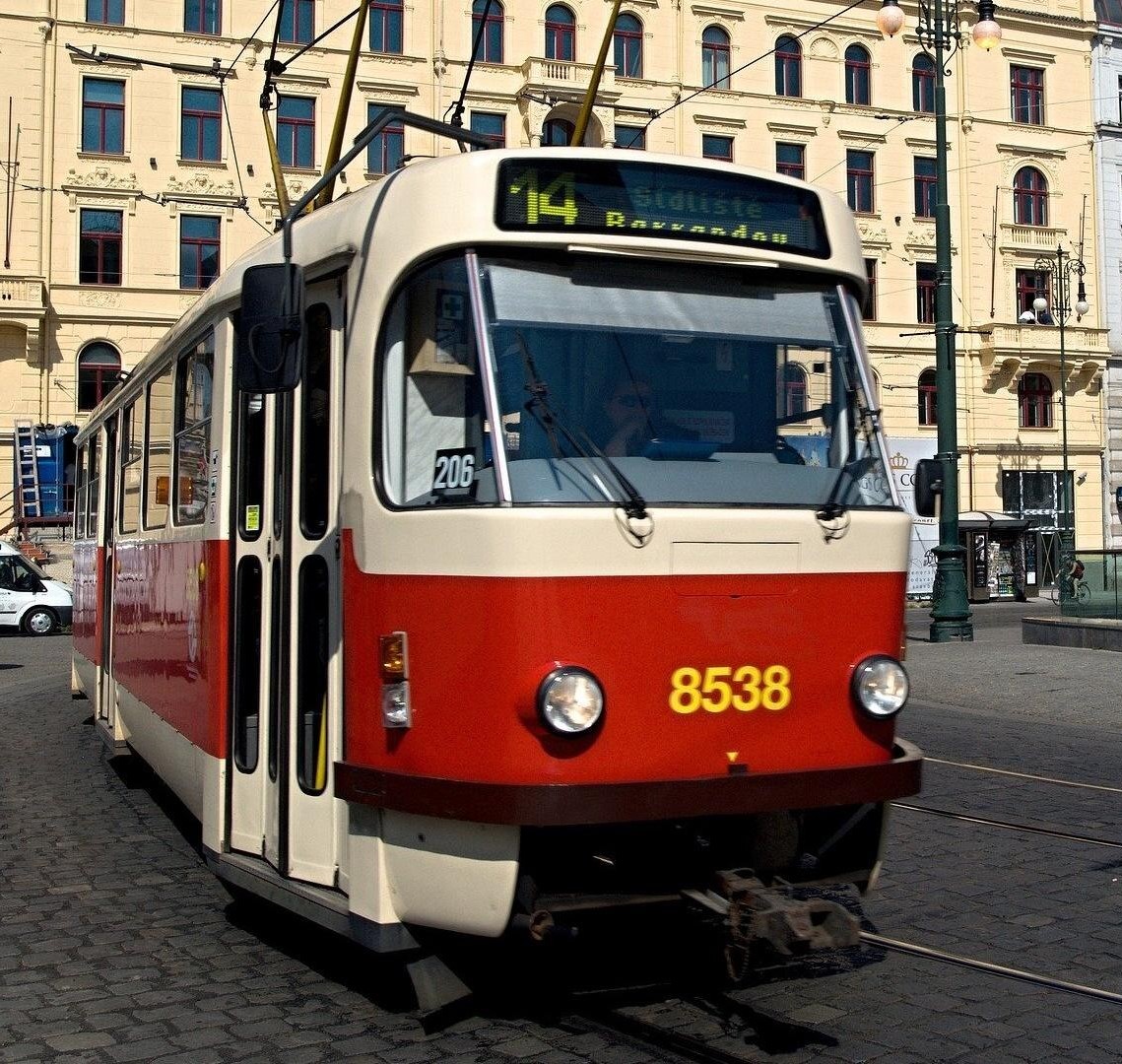
They only used specific routes for freight, usually only to the closest train station. Only short freight trains ran there, not the 100 cars you can see on classic freight trains. And these routes were designed for that usage, as the factory was there first, and later the city grew it around.
The tram and rail network were heavily connected, in case of a war if the 2 rail bridges would have been blown up, freight trains could have used the tram tracks on the road bridges. Things were designed with a possibility of a nuclear war in mind, similarly how all underground stations could have been used as a nuclear shelter.
Here is an actual map from 1944 showing how freight trains could use the tram network:

Solid lines are train rails, different dashed lines are tram rails and spurs.
This actually didn’t help in WW2, because all bridges were blown up by the retreating nazis at the same time…
Not a frequent job, such amount of snow is rare here, these plowing trams were not used in the last 10 years. If the snow is less then 10 cm high regular trams can go through it.
These tram models are BSZKRT 70 and 71, Budapest Transport Corporation (BKV) has 7 of them. They were made in 1926, so 100 years old. Their colloquial name is “Muki”, you can see them frequently on the streets in various support roles, pulling malfunctioned trams, transporting equipment between garages, checking rails etc. This snowplow configuration is rare.
They look like this usually:

This summer they were pulling F1 cars as a RedBull ad:

In the 90s some factories still used the tram network for transporting supplies, “freight trams” were a thing, usually during the night:



They hide it on their website very well, but it’s free as beer and freedom, only some enterprise features are behind a paywall. Maybe this is a better link: https://github.com/ONLYOFFICE#-get-started